In-app support ticketing moves the “create a ticket” action into the same application where the user experiences the problem. For IT administrators and system engineers, the value is not the UI convenience by itself; it’s the ability to capture reliable context at the point of failure (identity, tenant, device, app version, network, and recent actions) and feed it into an operational workflow that routes, prioritizes, and resolves work with less back-and-forth.
This documentation-style guide describes how to design **in-app support ticketing workflows** that behave like a disciplined IT operations system: consistent classification, predictable routing, measurable service levels, secure data handling, and automation that reduces repetitive tasks without obscuring accountability. The emphasis is on patterns you can implement regardless of whether you use ServiceNow, Jira Service Management, Zendesk, Freshservice, or a homegrown ticket API.
A recurring theme in this guide is that “in-app” changes the first mile of the process. Because the app can collect telemetry and identity signals, you can create tickets that are already triaged to a useful degree, which changes how you define forms, queues, and runbooks downstream. Each section builds from intake design to routing, enrichment, integration, automation, and governance so the final workflow is cohesive and auditable.
## What “in-app support ticketing” means in IT operations
In-app support ticketing is a workflow where a user submits a support request from within an application (web, desktop, or mobile) and the request is converted into a trackable work item in an IT operations system (an ITSM tool or ticketing platform). The “in-app” part is not just where the button is; it’s a channel that can provide structured context that traditional email or portal tickets often lack.
For IT operations, it helps to separate two concepts that are frequently mixed together. **Ticket creation** is the act of capturing a report and turning it into a record. **Ticket handling** is everything after: classification, assignment, SLA/SLO measurement, escalation, change coordination, resolution, and post-incident learning. An in-app channel should improve ticket creation in a way that makes ticket handling more deterministic.
A common failure mode is implementing in-app ticket creation as a generic “contact support” form that simply forwards a message. That approach often increases ticket volume without increasing signal. A better approach is to treat the in-app channel as a structured intake mechanism with guardrails: clear categories, required fields, and automatic enrichment that enables routing and automation.
## Why in-app workflows reduce time-to-triage (when designed correctly)
The main operational metric improved by well-designed in-app ticketing is **time-to-triage**—the time between ticket creation and the moment an engineer has enough information to take the correct first action. Triage isn’t “assign it to someone”; triage is “identify likely class of issue, severity, blast radius, and the next diagnostic step.”
In-app workflows reduce time-to-triage because the application can attach accurate, machine-readable context that users may not know or may misreport. Examples include the exact app version, feature flag state, tenant ID, correlation IDs, device model, OS build, and network path. When this data lands in the ticket in a consistent structure, you can implement routing rules and runbooks that depend on it.
However, this only works when your workflow explicitly decides what context matters and how it will be used. Capturing everything “just in case” can introduce privacy risk and slow intake with large attachments. Capturing too little context forces the service desk to ask follow-up questions, which negates the benefit.
## Define the operational outcomes before you design the form
Before you build the in-app experience, define what operational outcomes you want to improve and how you will measure them. For IT administrators, this is the difference between “we added support in the app” and “we reduced mean time to acknowledge (MTTA) and reopened tickets.”
Start by mapping your top ticket drivers by volume and by impact. High-volume, low-complexity requests (password resets, access requests, license changes) benefit from automation and guardrails. High-impact incidents benefit from richer context, correlation IDs, and pre-defined escalation paths.
From there, define measurable targets. If you use SLAs (service-level agreements), specify response and resolution targets by priority. If you prefer SLOs (service-level objectives), define internal targets such as “90% of P2 incidents acknowledged within 15 minutes.” These targets influence which fields are mandatory, which categories exist, and how routing should behave.
A useful design checkpoint is to ask: “If this ticket arrives with no human reading it, can the system still route it to the correct queue?” You don’t need full automation, but you should be able to route deterministically based on structured fields and context.
## Model ticket types: incidents, service requests, and access tasks
In ITSM terms, an **incident** is an unplanned interruption or degradation of service, while a **service request** is a user-initiated request for something standard (access, provisioning, information). In-app ticketing often mixes these, which increases noise and misprioritization.
To prevent that, the in-app workflow should present a small number of top-level paths that map to your operational model. Even if your backend tool uses a single “issue” object, you should preserve the classification as a field.
A practical taxonomy for most IT operations teams is:
- **Something is broken (Incident):** performance, errors, outages, missing data.
- **I need something (Service request):** access, license, configuration change, new resource.
- **Question / how-to (Support request):** guidance, documentation issues.
Each path should then drive different required fields. Incidents should capture time of occurrence, user impact, error messages, and correlation IDs. Service requests should capture approval context, requested scope, and justification.
This classification is the first step toward correct prioritization. If your in-app experience cannot accurately distinguish incidents from requests, downstream SLAs and on-call escalation will degrade.
## Design intake forms for signal, not volume
Form design is the single highest-leverage part of in-app support ticketing workflows because it shapes the data you can act on. The goal is to capture enough structured data to route and start diagnosis without overwhelming users.
A strong pattern is a short initial form with conditional follow-up fields. For example, if a user selects “Login problem,” ask whether they see an MFA prompt, whether they use SSO, and whether the issue affects multiple devices. If they select “Performance,” ask whether it is slow for a specific feature and whether it is persistent or intermittent.
When possible, replace free text with controlled inputs. Dropdowns for environment (prod, staging), region, and module reduce ambiguity. That said, always include an optional free-text field for “What were you doing?” because narrative context helps engineers interpret logs and reproduce issues.
### Required fields that enable deterministic routing
Deterministic routing requires consistency. If you only require a description, your routing rules will devolve into keyword guessing. Require fields that align with how your teams are structured.
Common fields that drive effective routing include:
- Affected application/module (or product area)
- Environment (production vs non-production)
- Impact scope (single user, multiple users, entire site)
- Urgency (blocked vs degraded vs cosmetic)
- Tenant/customer identifier (for multi-tenant systems)
If you do not want users to choose these values, the app can often infer them. For example, environment and tenant are typically known by the session context.
### Avoid “severity by user opinion” as your only priority signal
Many organizations let users select “Low/Medium/High.” This often leads to everyone choosing “High,” which forces the service desk to re-triage manually.
A better approach is to compute priority from a combination of user-provided impact and system-derived context. For example, “single user blocked” might be a lower priority than “multiple users blocked in production,” even if both users select “urgent.” You can still allow urgency selection, but treat it as one input rather than the final priority.
## Capture context safely: identity, device, session, and diagnostics
In-app workflows are powerful because they can attach context automatically. The key is to capture context that is both useful and defensible from a security and privacy standpoint.
At minimum, capture authenticated identity: user ID, email/UPN, tenant, and role. For device context, capture OS family and version, device type, and browser/app version. For session context, capture timestamp, region, and a correlation identifier that can link frontend events to backend logs.
Be cautious with raw screenshots, keystrokes, and full log dumps. Those can contain secrets, personal data, or regulated information. If you need screenshots, implement client-side redaction guidance and limit capture scope. If you need logs, prefer extracting a bounded set of diagnostic fields rather than uploading full files.
A good governance baseline is: collect only what you can justify for triage and resolution, keep it only as long as needed, and ensure it is protected in transit and at rest.
### Correlation IDs and trace context
If your application emits structured logs, you likely already use correlation IDs (sometimes called request IDs, trace IDs, or operation IDs). Including these in tickets is one of the fastest ways to reduce time spent searching logs.
For web applications, you can propagate a trace context header (such as W3C Trace Context) and surface the trace ID in the UI when an error occurs. For mobile or desktop apps, you can generate a session-specific identifier and include it in telemetry.
From an IT operations perspective, the important part is consistency: ensure every ticket includes the ID in a field that your engineers can copy-paste into your log search.
## Integrate with your ITSM platform: choose an interaction model
Once you have a structured intake, you need to decide how the app talks to the ticketing system. There are three common models:
1. **Direct ticket creation:** the app calls the ITSM API to create a ticket immediately.
2. **Middle-tier service:** the app sends data to an internal support gateway service, which then creates tickets and handles enrichment.
3. **Event-driven workflow:** the app emits an event to a queue or bus; a backend worker creates the ticket and posts updates.
Direct creation is simplest but pushes secrets and integration complexity into the app tier. A middle-tier service provides better control over authentication, rate limiting, field mapping, and retries. Event-driven workflows handle spikes better and give you durable delivery semantics.
For IT operations in regulated environments, the middle-tier or event-driven approach is usually the most defensible because it keeps ITSM credentials out of the client and centralizes audit logging.
### Authentication and authorization patterns
Your integration needs to authenticate to the ITSM tool and authorize the user action. These are different.
For authentication to the ITSM API, use a service account or OAuth client credentials where supported. For user authorization, decide whether the in-app ticket is created “on behalf of” the user or as a system-generated ticket that records the requester as a field.
Creating tickets on behalf of the user can preserve requester-based workflows (notifications, approvals) but may require delegated auth flows. Creating tickets as a system account is simpler but requires careful handling of requester identity and permissions.
For internal enterprise apps, you can rely on SSO (single sign-on) for the user session and use a backend service identity for ITSM integration. The in-app submission then becomes an authenticated request to your backend, which creates the ticket.
## Field mapping: keep a canonical support schema
A frequent integration problem is that the app’s fields drift from the ITSM tool’s fields over time. To prevent this, define a canonical support schema that lives with your operational documentation and code.
Your canonical schema should define:
- Ticket type (incident/request/question)
- Category and subcategory
- Priority inputs (impact, urgency) and computed priority
- Requester identity fields
- Affected service/application/module
- Environment and region
- Diagnostic fields (correlation ID, app version, device)
- Attachments policy (screenshot allowed/blocked)
Then map this schema to each backend system. If you migrate ITSM tools, you update the mapping rather than rewriting the app.
This is also where you decide which fields are “authoritative” (system-derived) versus user-provided. For example, tenant ID should typically be authoritative.
### Example: JSON payload for a support gateway
The following illustrates a practical payload your app could send to an internal support gateway service. It is not tied to a specific vendor and avoids leaking ITSM-specific field names into the client.
```json
{
"ticketType": "incident",
"title": "Cannot access dashboard - 500 error",
"description": "User sees HTTP 500 when loading /dashboard. Started at 09:12 UTC.",
"requester": {
"userId": "a12345",
"upn": "alex@example.com",
"displayName": "Alex Doe",
"tenantId": "tenant-001",
"roles": ["Analyst"]
},
"service": {
"application": "Portal",
"module": "Dashboard",
"environment": "prod",
"region": "eastus"
},
"impact": {
"scope": "single_user",
"isBlocked": true
},
"diagnostics": {
"timestamp": "2026-02-03T09:14:22Z",
"correlationId": "4f2c0c7c3d6a4c8c",
"appVersion": "web-2026.2.1",
"browser": "Chrome 121",
"os": "Windows 11 23H2"
},
"attachments": []
}
```
A backend service can then validate fields, compute priority, enrich with CMDB/service ownership, and create the ticket in the ITSM tool.
## Routing and assignment: align queues to ownership, not org charts
After ticket creation, routing is where many workflows slow down. In-app ticketing should reduce routing ambiguity, but only if your routing logic reflects real ownership.
Start by defining ownership for each supported category/module. Ownership should map to a team that can take action, not just the team that receives notifications. For example, “Authentication” might route to an identity team, while “Endpoint agent” routes to endpoint management.
If your organization uses a CMDB (configuration management database), tie the “affected service” field to a CMDB service record and use its ownership metadata for routing. If you do not have a CMDB, a simple routing table maintained as code or configuration can work.
As routing matures, incorporate signals such as environment and impact. A production incident for a core service might route to an on-call queue, while a non-production issue routes to a backlog queue.
### Real-world example: reducing ping-pong between app and identity teams
Consider a company where users report “can’t log in” from within a SaaS portal. Previously, tickets landed in a general service desk queue with a description like “login broken,” and the service desk would assign to the app team. The app team would then ask whether SSO was used, whether MFA prompts appeared, and what the IdP error was. Half the time, it turned out to be an IdP conditional access policy change.
By redesigning the in-app workflow to ask “Are you signing in with corporate SSO?” and capturing the IdP type from configuration (for example, Entra ID vs Okta), tickets could be routed directly: SSO-related failures with specific error codes went to the identity queue, while local account failures went to the app support queue. The result was fewer reassignment loops and faster restoration because the first responder had the correct logs and policy context.
## Prioritization and service levels: compute priority from impact and context
A ticket’s priority should be consistent across channels; otherwise, in-app tickets will be perceived as “special” and either over-prioritized or ignored.
A common method is to calculate priority from **impact** (how many users/services affected) and **urgency** (how time-sensitive). In-app channels can improve this by providing evidence-based inputs: environment, recent deploy status, error rate spikes, and whether the user is blocked from a critical workflow.
If you already use a priority matrix, implement it centrally (in the support gateway or ITSM rules) rather than in the client. The in-app UI should communicate what it is asking for (impact, blocked status) without promising the user a specific priority.
For on-call operations, define which priorities trigger paging and which trigger asynchronous queues. Keep paging criteria strict to prevent alert fatigue.
## Enrichment: attach operational data that engineers actually use
Enrichment is where an in-app workflow turns into an operations accelerator. After the initial payload is submitted, enrich the ticket with data that helps investigation.
Useful enrichment sources include:
- **Service ownership metadata:** team, on-call schedule, escalation path
- **Deploy/release context:** current version, last deployment time, feature flags
- **Observability links:** prebuilt queries to logs/traces/metrics filtered by correlation ID
- **Asset and device records:** endpoint compliance state, device owner, last check-in
- **Identity posture:** MFA status, conditional access results (as permitted)
Enrichment should be intentional. If engineers never click the link you attach, remove it. If a link requires additional permissions, ensure the correct team has access.
### Linking to log searches with correlation IDs
If you use a log platform (e.g., Splunk, Elastic, Azure Monitor Logs, Datadog), generate a link that opens a pre-filtered search using the correlation ID and time window. This reduces the cognitive load for first responders.
Even without vendor-specific details, you can design your gateway to construct URLs based on templates. The key is that the correlation ID lands in a dedicated ticket field so templates can safely reference it.
## Automation and runbooks: make the first action predictable
Once intake, routing, prioritization, and enrichment are reliable, automation becomes safer. Automation in ticketing should focus on predictable, reversible actions and should always leave an audit trail.
A practical approach is to define **runbooks**—documented procedures for common issues—and then attach automation for the first step. For example, “collect diagnostics,” “verify service health,” “restart a non-critical worker,” or “request additional logs.”
Avoid automations that make destructive changes based solely on user input. Use automation to reduce toil, not to bypass change control.
### Example: automated data collection for endpoint issues
If users report issues from an in-app agent on managed endpoints, you can automate collection of a bounded diagnostic bundle. The in-app ticket can include device ID; the backend can then trigger a management tool action (depending on your environment).
Even without naming a specific endpoint platform, the pattern is:
1. User submits an in-app ticket.
2. Ticket includes device identifier and agent version.
3. Automation triggers a diagnostic collection job.
4. Results are attached back to the ticket or stored with a secure link.
This reduces the back-and-forth (“please run this command and send output”) and standardizes evidence.
## Building a support gateway service: validation, throttling, retries, and auditing
A dedicated support gateway service is often the best foundation for robust in-app support ticketing workflows. It decouples the app client from the ITSM tool and centralizes operational controls.
At minimum, the gateway should validate incoming payloads, enforce required fields, normalize values (e.g., map “East US” to “eastus”), and reject unsafe attachments. It should also implement rate limiting to prevent a bug or abuse from flooding the ITSM platform.
Retries are important because ITSM APIs can be rate limited or temporarily unavailable. An event-driven design with a queue provides durable retries and dead-letter handling. Even with synchronous APIs, ensure the user gets a meaningful response when ticket creation is delayed (for example, “request received; ticket will appear shortly”).
Audit logging is critical. Record who submitted the request, what fields were received, what enrichment was added, and which system identities were used to create the ticket. This supports incident review and compliance.
### Example: validating and normalizing with a simple policy
Your validation logic can be expressed as code or policy-as-config. The point is to ensure the data that reaches the ITSM system is consistent.
For example, enforce that production incidents must include a module and correlation ID (if available). If correlation ID is missing, prompt the app to display it when errors occur.
## Notifications and user communication: set expectations and reduce duplicates
In-app ticketing changes user expectations. If users submit in-app and receive no feedback, they may submit again via email or chat, creating duplicates.
Ensure the in-app experience provides a ticket ID and clear status messaging. If your ITSM tool supports requester notifications, decide whether notifications go through email, in-app notifications, or both.
In-app status updates are especially helpful for mobile and desktop apps where users may not be monitoring email. If implementing in-app updates is complex, at least provide a “view ticket” link that opens the ticket portal.
To reduce duplicates, use lightweight deduplication heuristics: if a user submits the same category/module within a short time window with the same correlation ID, warn them and offer to update the existing ticket instead.
## Handling sensitive data: privacy, security, and compliance controls
In-app ticketing sits at the intersection of user-generated content and operational diagnostics, which can include sensitive information. Treat the in-app channel as a data collection surface that must be governed.
Start with data classification. Decide what types of data are allowed in ticket descriptions and attachments. For example, you may forbid secrets, full payment card data, or health data depending on your environment. Then enforce this via UI guidance and backend validation.
Encrypt data in transit (TLS) and ensure encryption at rest in your ticketing platform and any intermediate storage. If you store attachments outside the ITSM tool (for example, object storage), use time-bound signed URLs and strict access controls.
Limit access with RBAC (role-based access control). Only teams that need diagnostic data should have access to it. If your ITSM tool supports field-level security, consider restricting particularly sensitive fields.
Retention matters as well. Tickets may be retained for long periods; if diagnostics include sensitive data, configure retention or redaction policies.
## Change management and workflow evolution: keep the pipeline stable
Once in-app workflows are live, changes to forms and routing rules can have wide impact. Treat changes as operational changes with review and rollback plans.
Version your canonical support schema and your routing configuration. If you add a new category or module value, ensure downstream systems (ITSM fields, reports, automations) can handle it. Consider adding “unknown” handling paths so new values don’t break ticket creation.
When you deprecate fields, maintain backward compatibility for a period. Apps in the field (especially desktop/mobile) may lag in updates; your gateway should accept older payload versions and translate them.
### Real-world example: schema drift during a product re-org
A platform team reorganizes modules: what used to be “Reporting” splits into “Analytics” and “Exports.” The product UI updates quickly, but the ITSM routing table still expects “Reporting.” Tickets start landing in a default queue, and on-call sees a spike in misrouted incidents.
Teams that avoid this typically have a versioned schema and a gateway mapping layer. The UI can send “Analytics,” while the gateway maps it to the correct ITSM category and queue. Reporting dashboards are updated in parallel. This reduces the operational risk of organizational changes.
## Metrics and reporting: measure workflow health end to end
If your goal is streamlined operations, you need metrics beyond ticket counts. In-app workflows should produce structured data that supports meaningful reporting.
Track at least:
- Volume by ticket type/category/module
- MTTA (time to acknowledge) by priority
- Time-to-triage (time until the ticket has a correct owner and actionable info)
- Reassignment count (“ping-pong”)
- Reopen rate
- Duplicate rate
- Automation success/failure (if you trigger runbooks)
Because in-app tickets may include richer context, consider adding metrics that validate the workflow itself: percentage of tickets with correlation IDs, percentage with environment populated, percentage with module populated, and rate of validation failures.
Use these metrics to iterate on form design and routing. For example, if “module” is frequently missing, either infer it from the app context or adjust the UI to make it unavoidable.
## Implementation patterns for common environments
The specifics of implementing in-app support depend on your stack. The operational patterns remain similar, but the integration details differ. The sections below focus on practical patterns that do not assume a single vendor.
### Web applications: embed ticket UI and capture browser context
For web apps, the support UI is usually a modal or dedicated page. You can capture browser version, current URL/route, and frontend error details.
Be careful with capturing full URLs if they may include tokens or sensitive query parameters. Normalize or strip sensitive parts before submission.
If you use a frontend error boundary, you can capture a stack trace or error message and attach it. Ensure that stack traces do not leak internal secrets and that they are sanitized.
### Desktop applications: include app logs and versioning carefully
Desktop apps often have local logs that can be valuable. Instead of uploading full logs, extract a bounded window (for example, last N lines, last M minutes) and scrub known sensitive patterns.
Desktop apps also tend to lag on versions. Include the exact app version and update channel in the ticket so IT can quickly identify known-bad builds.
### Mobile applications: network variability and device constraints
Mobile tickets should capture network type (Wi-Fi vs cellular) and OS version because many issues are network-path dependent. Also consider that attachments (screenshots) increase data usage; allow users to opt in.
For mobile, push notifications may be the best way to update users on ticket status, but this requires careful opt-in and privacy handling.
## Identity and provisioning integration: SSO, SCIM, and access workflows
Many in-app tickets are effectively identity and access management (IAM) requests. If your organization uses SSO and SCIM (System for Cross-domain Identity Management) provisioning, integrate those signals.
For access requests, capture the target resource and the requester’s manager or approval chain if needed. In many environments, you’ll implement an approval workflow in the ITSM tool. The in-app channel should supply the information required to avoid follow-up.
For login incidents, capture the identity provider context: are they using SSO, which tenant, and what error message is presented. Be cautious not to capture authentication codes or tokens.
### Example: access request workflow that avoids manual back-and-forth
A user in a finance role needs access to a reporting module. In a legacy workflow, they submit a free-text request and the service desk asks which environment, which role, and which business justification. The ticket sits for two days waiting for responses.
With in-app ticketing, the user selects “Request access,” chooses “Reporting module,” and the app pre-fills environment as “prod” and tenant ID. The form requires a justification and offers a checkbox for “requires export permission.” The gateway maps the selection to a specific role group and routes the request to an approval workflow. The service desk is no longer acting as an information relay; they are managing an orchestrated process.
## Operational resilience: handling outages and degraded dependencies
Because in-app ticketing may depend on backend services and ITSM APIs, plan for degraded modes. If your ITSM tool is down, you still want a way to capture requests, especially incidents.
An event-driven design with a durable queue is one way to tolerate downstream outages. If you cannot implement that, store submissions in a secure internal store temporarily and replay them.
From a user perspective, communicate clearly. If ticket creation is delayed, show a message that the request has been received and provide a local reference ID. Avoid telling the user “ticket created” if the backend hasn’t confirmed it.
In highly critical environments, provide an alternate escalation method (such as a phone number or status page link) from within the in-app support UI for true emergencies.
## Practical integration examples (code): creating and updating tickets via API
Different ITSM tools have different APIs, but many follow a similar REST pattern. The examples below focus on the integration mechanics you control: acquiring a token, calling an API endpoint, and handling responses. Treat the URLs and fields as placeholders for your environment.
### Example: PowerShell calling a ticket API (service-to-service)
This pattern is useful for a support gateway or automation worker running on Windows or in a CI/CD environment.
```powershell
# Acquire an OAuth token (client credentials) from an identity provider
$tenantId = ""
$clientId = ""
$clientSecret = ""
$scope = "api:///.default"
$tokenResponse = Invoke-RestMethod -Method Post -Uri "https://login.microsoftonline.com/$tenantId/oauth2/v2.0/token" -ContentType "application/x-www-form-urlencoded" -Body @{
client_id = $clientId
client_secret = $clientSecret
grant_type = "client_credentials"
scope = $scope
}
$accessToken = $tokenResponse.access_token
# Create a ticket
$payload = @{
type = "incident"
title = "Portal dashboard returns 500"
description = "Captured in-app with correlationId=4f2c0c7c3d6a4c8c"
requester = @{ upn = "alex@example.com"; tenantId = "tenant-001" }
priority = "P2"
fields = @{ correlationId = "4f2c0c7c3d6a4c8c"; environment = "prod"; module = "Dashboard" }
} | ConvertTo-Json -Depth 6
$response = Invoke-RestMethod -Method Post -Uri "https://itsm.example.com/api/tickets" -Headers @{
Authorization = "Bearer $accessToken"
} -ContentType "application/json" -Body $payload
$response | ConvertTo-Json -Depth 6
```
The operational takeaway is not the token endpoint; it’s that ticket creation should be performed by a trusted backend identity, with the user identity represented as data.
### Example: Bash + curl for posting an update/comment
Ticket workflows often need to post follow-up context: diagnostic job results, automation output, or links to observability dashboards.
```bash
TICKET_ID="INC-104233"
API_BASE="https://itsm.example.com/api"
TOKEN="${ITSM_TOKEN}"
curl -sS -X POST "${API_BASE}/tickets/${TICKET_ID}/comments" \
-H "Authorization: Bearer ${TOKEN}" \
-H "Content-Type: application/json" \
-d @- <<'JSON'
{
"visibility": "internal",
"comment": "Automated diagnostics complete. Log search: https://logs.example.com/search?cid=4f2c0c7c3d6a4c8c"
}
JSON
```
Even if your tool uses a different endpoint, the pattern holds: automation should write back to the ticket so the record remains the system of record.
### Example: Azure CLI pattern for reading deployment context (enrichment)
If your enrichment process needs to attach deployment metadata (for example, the image tag running in an environment), you can query your platform and include the result in the ticket. The exact commands depend on what you run (AKS, App Service, etc.), but the principle is to keep enrichment bounded and relevant.
```bash
# Example: fetch a container image tag for a running workload (AKS)
RG="rg-prod"
CLUSTER="aks-prod"
NAMESPACE="portal"
DEPLOYMENT="portal-api"
az aks get-credentials -g "$RG" -n "$CLUSTER" --overwrite-existing >/dev/null
IMAGE=$(kubectl -n "$NAMESPACE" get deploy "$DEPLOYMENT" -o jsonpath='{.spec.template.spec.containers[0].image}')
echo "Running image: $IMAGE"
```
In practice, you would run this from a controlled automation environment and attach the result to the ticket as enrichment, rather than allowing arbitrary cluster queries.
## Workflow governance: ownership, documentation, and auditability
As your in-app workflow grows, governance becomes necessary to prevent it from becoming a brittle tangle of rules. Governance does not mean bureaucracy; it means making sure someone is responsible for the workflow and that changes are controlled.
Define owners for:
- The in-app UI form and its release process
- The canonical support schema
- The gateway service (if used)
- The ITSM configuration (fields, queues, SLAs)
- The routing table and ownership mapping
Document the end-to-end flow with a sequence diagram or written description: user action, payload submission, validation, enrichment, ticket creation, notifications, and updates. This documentation becomes critical during incidents.
Auditability is also essential. Ensure you can answer: who submitted the ticket, what context was attached, what automations ran, who changed routing rules, and who closed the ticket.
## Designing for multi-tenant and customer-facing environments
If your application is multi-tenant or customer-facing, in-app ticketing must respect tenant boundaries and contractual obligations.
Include tenant identifiers and customer plan tiers as structured fields. This supports routing (for example, premium customers to a dedicated queue) and prioritization. Ensure that any diagnostic data attached cannot cross tenant boundaries.
If you provide support to external customers, consider whether your in-app channel creates tickets in a customer support platform rather than an internal ITSM tool. The operational design remains similar, but privacy and data retention requirements often become stricter.
For customer-facing apps, consider adding a status page link or showing active incident banners inside the support UI to reduce duplicate reports during known outages.
## Coordinating incident response: connecting tickets to on-call and incident records
For production incidents, a “ticket” may not be the only record. Many teams also use incident channels, paging systems, and post-incident reviews.
In-app ticketing can help detect incidents earlier, but only if you connect it to your incident process. If multiple in-app incident tickets arrive for the same symptom, you may want to create or link to a major incident record. Your gateway or ITSM tool can implement clustering by correlation ID, error signature, module, and time window.
When a major incident is declared, update linked tickets with the incident identifier and status updates. This reduces inbound queries and keeps communication consistent.
### Real-world example: clustering in-app error reports into a single major incident
After a deployment, users start reporting “500 error” from within the app. Each ticket includes the same correlation ID pattern and module, and the error rate in metrics is rising. Instead of treating each ticket independently, the workflow links new tickets to a major incident and routes them to the on-call team. Users receive an automated update acknowledging the known issue.
The result is that engineers focus on restoration rather than managing dozens of separate tickets, while requesters still have a trackable record tied to the major incident.
## Operating the workflow as a product: lifecycle, testing, and quality gates
A mature in-app support workflow is effectively a product: it has users, integrations, telemetry, and release cycles. Operating it as a product improves reliability.
Test the workflow end-to-end in a non-production environment. Validate that tickets are created with correct fields, that routing rules assign to the intended queues, that notifications go to the right recipients, and that automation runbooks behave safely.
Introduce quality gates for changes. For example, if you add a new category value, ensure reporting dashboards won’t break and that the ITSM field allows the new value. If you change priority calculation, ensure it doesn’t page on-call for low-impact issues.
Instrument the workflow itself. Track submission success rates, API latency, validation failures, and downstream ITSM errors. These are operational signals for the support pipeline.
## Reference architecture: putting it all together
By this point, the end-to-end workflow should look cohesive:
A user submits an in-app request, the app includes identity and context, the backend validates and normalizes, enrichment attaches ownership and observability links, priority is computed consistently, and the ticket is created in the ITSM tool with structured fields. Routing assigns to the correct queue, notifications are sent, automation can run safe first steps, and all actions are audited.
If you already have a service desk portal, in-app ticketing should not replace it; it should complement it as a higher-signal channel for application-specific issues and streamlined service requests. The portal remains useful for broad requests, knowledge base access, and cross-service workflows, while in-app becomes the shortest path for issues encountered during actual usage.
From an operational viewpoint, the most important design decision is that the workflow stays maintainable: a canonical schema, a controlled integration layer, and metrics that show where tickets get stuck. With those in place, in-app ticketing becomes a continuous improvement loop rather than a one-time feature.
 docs
docs
VectraOps documentation
Streamlining In‑App Support Ticketing Workflows for IT Operations
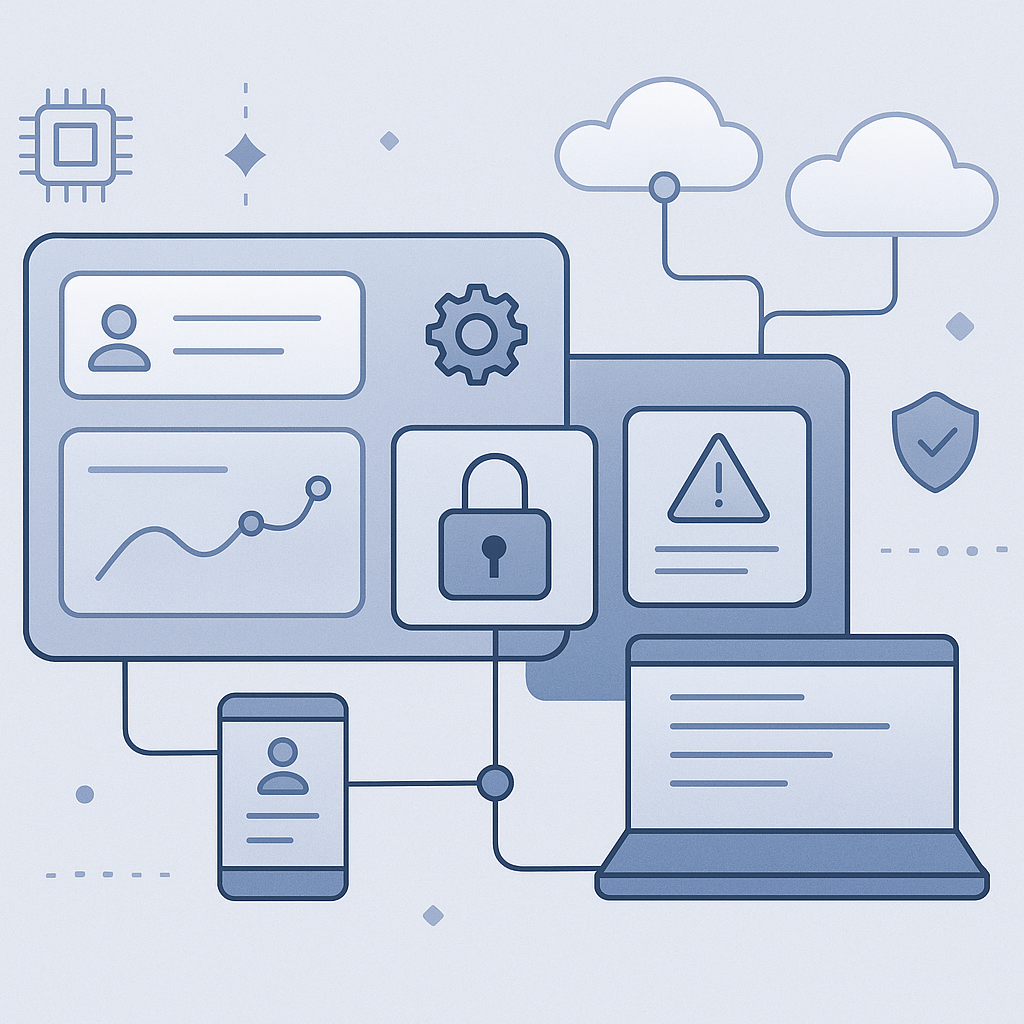
In-app support ticketing can shorten time-to-triage by capturing identity, device, and application context at the moment a user reports an issue. This guide explains how to design end-to-end in-app support ticketing workflows for IT operations, from intake forms and routing rules to automation, change control, and governance. It also covers secure integrations with common ITSM platforms and provides practical implementation patterns and examples.