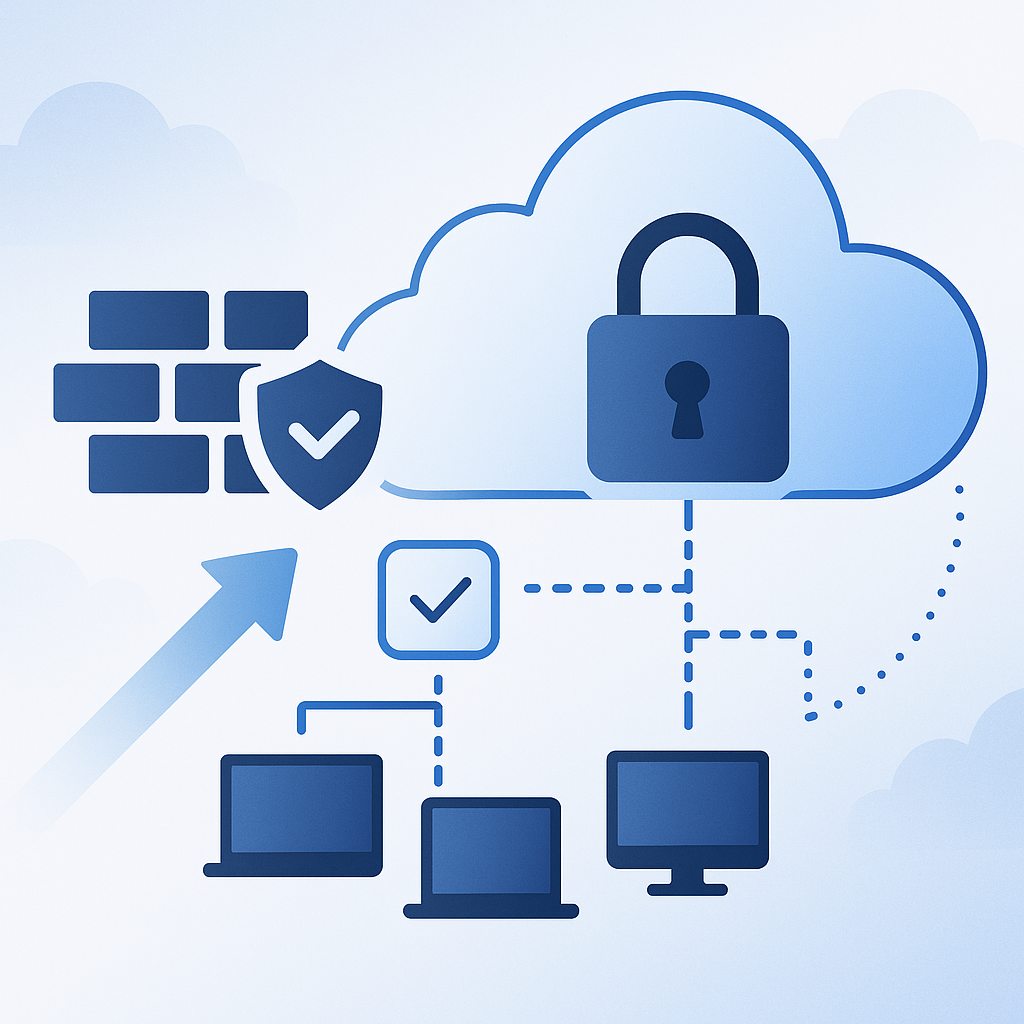
Outbound-only agents are a practical pattern for managing endpoints and servers that live behind NAT, firewalls, or segmented networks. Instead of opening inbound ports to each managed node, the agent initiates connections outward to a vendor cloud, management plane, or message broker. For IT administrators, this design simplifies firewall policy and remote access. For attackers, it also creates a predictable egress channel that—if not tightly controlled—can be abused for command-and-control (C2), data exfiltration, or lateral movement.
This article shows how to secure outbound-only agent communication end to end: the network controls that constrain where an agent can talk, the cryptographic controls that prove what it is talking to (and who the agent is), and the operational controls that keep the channel auditable and resilient over time. The emphasis is on patterns that work across products (EDR, RMM, monitoring, backup, inventory, vulnerability scanners, configuration management) rather than on any single vendor implementation.
The core idea is simple: treat outbound-only agent traffic as a privileged management plane. You should be able to answer, with evidence, these questions at any time: Which endpoints can connect? To what exact destinations? Over which protocols and ports? With which identity and certificates? What data leaves the network? How is that data protected in transit? And how will you detect or contain misuse if an endpoint is compromised?
Outbound-only does not mean low risk
Outbound-only communication reduces exposure to unsolicited inbound connections, but it does not eliminate risk. In practice, most environments have permissive egress rules, shared proxy infrastructure, and limited visibility into destination and payload. If an agent can “dial out” to broad destinations, an attacker who compromises the endpoint can often reuse that path.
A secure design starts by being explicit about threat models and failure modes. In an outbound-only model, the key risks shift toward identity, destination control, and data handling. You need to protect against man-in-the-middle (MITM) attacks, malicious DNS responses, certificate substitution, misuse of proxy trust, stolen agent credentials, and supply-chain issues in the agent update mechanism.
A second non-obvious risk is operational drift. Even if you start with strict allowlists and mTLS, emergency “temporary” firewall exceptions, proxy bypasses, and certificate rotation delays can quietly degrade your posture until the channel is effectively open-ended again. Security for outbound-only agents is as much about maintainable controls and monitoring as it is about initial configuration.
Define the communication model and trust boundaries
Before hardening controls, document how the agent communicates. Outbound-only systems commonly use one of these patterns: periodic HTTPS polling to a cloud API, long-lived HTTPS connections (often WebSocket or HTTP/2), outbound message queues (AMQP over TLS, MQTT over TLS), or a hybrid where the agent maintains a control channel and separately uploads telemetry.
As you map the flow, identify the trust boundaries. At minimum there is an endpoint boundary (agent and host OS), a local network boundary (VLAN/segment), an egress boundary (firewall/proxy/NAT), and the vendor boundary (public Internet, cloud edge, load balancers, and backend services). Each boundary has different controls available. For example, endpoint controls may include certificate stores and OS firewalls, while egress controls can enforce destination allowlists and TLS policy.
Also define what “management plane” versus “data plane” means for your agent. Control traffic (commands, job scheduling, configuration) is typically more sensitive than bulk telemetry, but telemetry can include secrets or regulated data. Classify the data types the agent sends, even if the vendor says “only metadata.” If the agent can read file content, process memory, registry keys, or logs, assume it could transmit sensitive information if misconfigured or compromised.
Establish an egress strategy: direct, proxy, or private link
Your first architectural decision is how agents reach the management service.
Direct-to-Internet egress is common for small environments, but it can make policy enforcement harder because every endpoint needs correct DNS, correct certificate validation, and correct firewall policy. Proxy-mediated egress centralizes control: you can enforce destination restrictions, log requests, and often apply TLS policy in one place. Private connectivity (such as IPsec tunnels, SD-WAN, or cloud private link equivalents where supported) can further reduce exposure, but not every vendor supports it.
A practical rule is: if you already run an outbound web proxy for servers and user devices, leverage it for agent traffic—provided you can maintain robust certificate validation and avoid fragile TLS interception. If you have no proxy infrastructure and cannot deploy one, focus on strict egress filtering and strong TLS verification on endpoints.
When you choose a proxy-based approach, decide whether you will perform TLS interception (“SSL inspection”). Inspection improves DLP and malware detection, but it breaks end-to-end TLS unless the agent explicitly supports it. Many security-sensitive agents use certificate pinning or strict TLS validation and will fail under interception. Even when interception “works,” it can increase risk by inserting an internal CA into trust stores and expanding the blast radius if that CA is compromised.
The best default for outbound-only management planes is typically no TLS interception for agent control channels, paired with strict destination allowlisting, strong endpoint validation, and network-level metadata logging.
Constrain outbound connectivity with allowlists and segmentation
Once you know the communication model, constrain the path so agents can only talk to what they must. This begins with network segmentation. Place managed servers in VLANs or subnets with egress policies that differ from user workstations. For example, a production server segment should not have the same unrestricted Internet access as user networks.
From segmentation, move to explicit allowlists. Avoid the vague requirement “allow outbound 443.” Instead, aim for “allow outbound 443 only to these FQDNs (or IP ranges if necessary), using these DNS resolvers, via this proxy, from these subnets.” The more precisely you can define the destination set, the harder it is for an attacker to repurpose the channel.
FQDN-based allowlisting is preferable when vendors use CDNs and frequently changing IPs, but it requires enforcement points that understand DNS-to-IP mapping (some next-gen firewalls do; classic ACLs do not). IP-based allowlisting can be stable if the vendor publishes fixed ranges, but many SaaS providers do not.
A workable compromise is to allow egress only via a proxy and restrict the proxy itself to a vetted set of domains. That way endpoints do not need to track dynamic IP ranges. If you do this, ensure endpoints cannot bypass the proxy (for example by direct 443 to the Internet).
Practical egress controls on Windows and Linux hosts
Even with perimeter filtering, host-based egress rules provide defense in depth—especially for laptops that leave the corporate network.
On Windows, Windows Defender Firewall can restrict outbound connections per program path or service. This is not foolproof (paths can be abused if not controlled), but it raises the bar and helps prevent “any process can dial out.” For example, you can restrict a specific agent executable to outbound 443 and block other binaries in the same directory from making outbound connections.
# Example: restrict outbound for a specific agent binary (adjust paths and rule names)

New-NetFirewallRule -DisplayName "Agent Outbound HTTPS" `
  -Direction Outbound -Action Allow -Protocol TCP -RemotePort 443 `
  -Program "C:\Program Files\ContosoAgent\agent.exe" \
  -Profile Domain,Private

# Optional: block outbound for other executables in the agent directory (tighten with AppLocker/WDAC as well)

New-NetFirewallRule -DisplayName "Block Other Binaries in Agent Dir" `
  -Direction Outbound -Action Block -Program "C:\Program Files\ContosoAgent\*" \
  -Profile Domain,Private
On Linux, nftables (or iptables where still used) can constrain egress by destination IP/port and even by process owner when combined with cgroups or policy routing in advanced setups. At minimum, enforce that only your proxy and DNS are reachable from restricted segments.
bash

# Example: allow only proxy and DNS, deny other outbound (simplified)

# Replace with your proxy IP and DNS resolver IPs

PROXY_IP="10.10.10.20"
DNS1="10.10.10.53"
DNS2="10.10.10.54"

sudo nft add table inet filter
sudo nft 'add chain inet filter output { type filter hook output priority 0; policy drop; }'

# Allow loopback and established connections

sudo nft add rule inet filter output oif lo accept
sudo nft add rule inet filter output ct state established,related accept

# Allow DNS to internal resolvers

sudo nft add rule inet filter output ip daddr { $DNS1, $DNS2 } udp dport 53 accept
sudo nft add rule inet filter output ip daddr { $DNS1, $DNS2 } tcp dport 53 accept

# Allow HTTPS to proxy only

sudo nft add rule inet filter output ip daddr $PROXY_IP tcp dport 3128 accept
sudo nft add rule inet filter output ip daddr $PROXY_IP tcp dport 443 accept
These host controls are not a substitute for perimeter controls, but they reduce the risk of “unexpected” direct-to-Internet traffic when a proxy is intended, and they provide portable policy for roaming devices.
Use strong server authentication: TLS done correctly
If you only implement one cryptographic control, make it strong server authentication through TLS. The agent must verify it is talking to the legitimate management endpoint, not a lookalike.
At a minimum, require TLS 1.2 or TLS 1.3 with modern cipher suites, validate the server certificate chain to a trusted root, and verify the hostname (SNI/Subject Alternative Name). Weak validation patterns—like trusting any certificate, ignoring hostname mismatches, or falling back to HTTP—are unacceptable for a management plane.
In practice, you control this through a combination of vendor capabilities, OS trust stores, and outbound proxy configuration. Your policy should specify:
- The minimum TLS version permitted.
- Whether TLS interception is allowed (and under what conditions).
- How the agent validates server certificates.
- Whether the vendor uses public CAs or a private CA.
When vendors use public CAs, your main task is ensuring your environment does not accidentally subvert validation (for example, by deploying an enterprise root CA to endpoints and intercepting traffic unexpectedly). When vendors use private CAs, you need a well-managed method to distribute trust anchors and rotate them.
Certificate pinning: helpful, but operationally sensitive
Some agents implement certificate pinning, meaning they only trust specific certificate public keys or SPKI hashes. Pinning can strongly reduce MITM risk, especially in environments with aggressive TLS interception. However, it increases operational sensitivity to certificate rotation and vendor infrastructure changes.
If your vendor pins certificates, document the pinning method and update cadence. Confirm how the agent behaves during certificate changes and whether there is an overlap period. From a security perspective, pinning can be an advantage; from an operations perspective, it increases the importance of change communication and pre-production testing.
Add client authentication with mTLS where possible
Server authentication prevents the agent from connecting to an impostor. Client authentication ensures the management plane can prove “this request is from a legitimate agent on a legitimate device.” The strongest widely available approach is mutual TLS (mTLS), where the agent presents a client certificate during the TLS handshake.
mTLS is particularly valuable for outbound-only agents because it reduces reliance on long-lived API tokens that can be copied from disk and reused elsewhere. A client certificate can still be stolen, but you can make theft harder by using OS key stores, TPM-backed keys, or hardware-backed credentials where supported.
To deploy mTLS you need a certificate authority (CA) and lifecycle management: issuance, renewal, revocation, and rotation. In Windows-heavy environments, Microsoft AD CS is often the PKI. In mixed environments, you may use an internal CA product or a managed PKI service.
A secure mTLS design should include:
- A unique client certificate per device (not per environment or per site).
- Short-ish validity periods (for example, 30–90 days) with automated renewal.
- Private keys marked non-exportable where feasible.
- Device identity tied to inventory (CMDB/asset ID) so you can disable a device quickly.
Even if your vendor does not support customer-managed mTLS, ask whether they offer device certificates, hardware-backed identity, or a similar mechanism. Some platforms use device-bound credentials issued at install time. The principle is the same: avoid shared secrets and avoid identities that can be trivially replayed.
Control and protect the bootstrap process
Outbound-only agents must be installed and enrolled. The enrollment process is a frequent weak point because it often involves a registration token, one-time installer secret, or “site key.” If that bootstrap secret leaks, an attacker can register rogue agents to your tenant or impersonate devices.
Treat bootstrap material as privileged secrets. Store it in a secret manager, not in a wiki page or deployment script checked into source control. Restrict who can retrieve it and log retrieval. Rotate bootstrap tokens and invalidate old ones.
If the vendor supports “approval workflows” or “device authorization” (where new agents must be approved before they can run jobs), enable it for sensitive environments. Approval adds operational steps, but it reduces the risk that a leaked token immediately becomes a working management plane foothold.
For automated deployments, prefer just-in-time token delivery. For example, a deployment system can fetch a short-lived enrollment token from a secret manager and pass it to the installer, rather than embedding a long-lived token in the script.
bash

# Example pattern: fetch an enrollment token from a secrets manager CLI at deploy time

# (Command names vary by product; this illustrates the approach, not a specific vendor.)

TOKEN=$(secretcli get --name agent/enroll-token --format raw)
./install-agent.sh --enroll-token "$TOKEN" --tenant "acme-prod"
In Windows enterprise deployments, you can apply the same principle with PowerShell and a vault (for example, retrieving a secret at runtime and not writing it to disk beyond what is necessary).
Design DNS and name resolution to support security controls
Outbound-only allowlisting frequently depends on DNS. That is both a feature and a risk. If an attacker can influence DNS responses, they may redirect the agent to malicious infrastructure while keeping the same hostname.
Start by enforcing that endpoints use your approved DNS resolvers and cannot query arbitrary external resolvers. This is an egress control: block outbound UDP/TCP 53 (and DoT/DoH where applicable) except to known resolvers, and enforce resolver policies that prevent abuse.
Next, harden your resolvers. Enable logging of queries for the agent domains, and consider response policy zones (RPZ) or DNS filtering to block known-bad destinations. If the vendor provides a fixed set of FQDNs, you can monitor for unexpected subdomains or sudden changes in resolution patterns.
DNSSEC validation can help against certain classes of attacks, but it depends on the vendor domain being signed and your resolvers validating. Even without DNSSEC, strict TLS validation with hostname checks prevents a simple DNS hijack from succeeding unless the attacker can also present a valid certificate.
This brings you back to the earlier point: DNS security and TLS server authentication are complementary. Strong TLS reduces the impact of DNS compromise, while controlled DNS reduces opportunities for misdirection and improves the accuracy of FQDN-based allowlisting.
Make proxying and TLS inspection a deliberate, tested decision
If your environment uses outbound proxies, you need to decide how agent traffic traverses them and what the proxy is allowed to do.
A secure baseline is to use a proxy in “CONNECT passthrough” mode for agent destinations. In this mode the proxy sees the destination host and port (and sometimes SNI), but it does not terminate TLS. This preserves end-to-end encryption and avoids breaking vendor security assumptions. You still get central logging (source IP, destination FQDN, byte counts, timing), which is often sufficient for auditing management traffic.
If you require TLS inspection for compliance, do not assume the agent can tolerate it. Many agents explicitly reject interception. Even if inspection succeeds, it changes trust: the agent now trusts your internal interception CA, and the proxy becomes a high-value target.
When inspection is non-negotiable, mitigate the added risk by limiting the interception CA scope. Avoid deploying a broadly trusted interception root to server segments that do not need it. Consider dedicated proxy paths for management-plane agent traffic, and limit who can administer the proxy and the CA.
Also consider whether you can inspect only telemetry uploads (which may be bulk HTTPS POSTs to known endpoints) while excluding control channels that depend on strict TLS behavior. This depends heavily on vendor endpoint separation.
Prevent proxy bypass and enforce consistent egress behavior
A common failure mode is “most traffic goes through the proxy, but some endpoints can still go direct,” often because of legacy firewall rules or split tunneling. From a security standpoint, proxy bypass reintroduces uncontrolled egress paths.
Enforcement methods vary:
- At the firewall, block direct outbound 80/443 from restricted segments except from the proxy.
- On endpoints, enforce proxy settings via GPO/MDM and lock down local admin ability to change them.
- On proxies, require authentication or device certificates to use the proxy, depending on your architecture.
For Windows endpoints, WinHTTP proxy settings affect many services and agents. WinINET proxy settings affect user applications. Ensure you know which one your agent uses. Some agents use their own network stack and ignore system proxy settings, in which case firewall-level enforcement becomes more important.
powershell

# View WinHTTP proxy settings

netsh winhttp show proxy

# Set WinHTTP proxy (example)

netsh winhttp set proxy proxy-server="http=proxy.corp.local:3128;https=proxy.corp.local:3128" bypass-list="<local>"
Treat agent identity as a first-class asset
Outbound-only agent platforms often represent each endpoint as an identity in a tenant: a device record, an agent ID, a certificate subject, or an API client identity. If you cannot reliably map identity to a real asset, response actions become risky. You might isolate the wrong device or fail to disable the right one.
Establish an identity mapping strategy:
- Ensure the agent reports stable device attributes (hostname, OS serial, cloud instance ID, or hardware UUID).
- Feed those attributes to your CMDB or asset inventory.
- Define naming conventions (for example, site + role + unique suffix) to avoid duplicates.
If the platform supports it, require device tags or enrollment profiles that reflect environment (prod vs dev), network segment, and owner team. This becomes important later when you implement policy constraints like “prod servers can only run monitoring jobs, not remote shell.”
When mTLS or device certificates are available, encode a unique identifier in the certificate subject or SAN in a way you can audit without exposing sensitive info. For example, include an asset ID rather than a username.
Secure the agent host: least privilege and tamper resistance
Network and TLS controls protect the channel, but the channel is only as trustworthy as the endpoint. If an attacker gains local admin/root, they may hijack the agent process, steal its credentials, or abuse the agent to run commands.
Start with least privilege. Run the agent under a dedicated service account with only the permissions it needs. Some agents require elevated access for their function (for example EDR). Even then, you should restrict what the agent can do via product policy: disable remote shell or file transfer features if you do not need them.
Protect the agent’s configuration and credential material. Confirm where it stores tokens, certificates, and keys. If keys are in the OS certificate store, ensure private keys are non-exportable and access-controlled. If keys are file-based, lock file permissions and monitor changes.
Tamper protection features offered by the vendor should be enabled where available. These typically prevent unauthorized uninstall, service stop, or config modification. They are not a substitute for endpoint hardening, but they reduce trivial disablement.
This is also where application control matters. AppLocker or Windows Defender Application Control (WDAC) can prevent unapproved binaries from running in the same context as the agent, lowering the chance that an attacker drops a lookalike binary to piggyback on firewall exceptions.
Secure updates and the supply chain
Outbound-only agents update themselves or are updated via management tooling. An insecure update channel is a direct path to fleet compromise.
Verify the agent update mechanism:
- Are updates signed? With what signing model?
- Does the agent verify signatures before installing?
- Can you control update rings (pilot vs broad deployment)?
- Can you pin versions or delay updates for testing?
Even if updates are signed, attackers may try to manipulate where updates are downloaded from (DNS/proxy abuse) or exploit a vulnerable updater. Constraining destinations and maintaining strong TLS validation reduces the chance of an update hijack.
Operationally, introduce staged rollouts. Maintain a small canary group in each major environment (server OS versions, workstation baselines, critical apps) that receives updates first. Monitor connectivity and behavior before expanding. This reduces the temptation to weaken TLS or proxy settings in a hurry when an update triggers failures.
Log and audit outbound-only channels without breaking encryption
You cannot secure what you cannot observe. For outbound-only agents, focus on metadata logging that does not require decrypting content.
At minimum, collect:
- Source device identity (IP, hostname, device ID)
- Destination hostname and/or IP
- Destination port and protocol
- Connection timing, duration, bytes sent/received
- TLS handshake metadata where available (SNI, certificate CN/SAN fingerprint if your tooling captures it)
If you use a proxy, proxy logs are often the most straightforward source. If you do not, firewall logs and flow logs (NetFlow/IPFIX, cloud VPC flow logs) can provide destination visibility.
Send these logs to your SIEM and build baselines. Agent traffic is usually fairly regular: periodic check-ins, steady telemetry. That predictability is useful. Alerts that often matter include sudden destination drift (new domains), unusual data volumes, connections at unusual times, or new device identities using the agent channel.
Be careful with payload logging. If you enable TLS inspection to log content, you will collect sensitive data and create a large compliance footprint. Prefer endpoint-side logging (agent activity logs, command audit logs) and management-plane audit logs from the vendor, which often record administrative actions more directly than network content would.
Policy control in the management plane: reduce blast radius
A secure transport channel is necessary but not sufficient. You also need to reduce what the channel can do.
Most agent platforms include role-based access control (RBAC) and policy scoping. Use these to ensure that if an admin account is compromised, or if an attacker gains access to a subset of devices, they cannot immediately control everything.
Start by separating duties:
- Read-only roles for monitoring and reporting.
- Operational roles that can run approved tasks but cannot change enrollment or security settings.
- Security admin roles for credential rotation, policy changes, and tenant-wide configuration.
Also scope device groups. Production servers should not be in the same administrative group as workstations, labs, and ephemeral dev instances. If the platform supports it, restrict high-risk capabilities (remote shell, script execution, file transfer) to tightly controlled groups and require approvals.
This section connects directly to identity mapping: scoping only works when you can trust group membership and device identity.
Real-world scenario 1: Manufacturing plant with segmented OT and intermittent Internet
Consider a manufacturing environment where OT (operational technology) networks are segmented from IT, and Internet access is tightly controlled. The plant wants to deploy a monitoring agent on Windows Server and embedded Linux hosts, but cannot open inbound ports into OT.
An outbound-only agent is attractive here, but the security posture depends on the egress design. A robust approach is to deploy a local egress proxy in the plant DMZ, allow OT segments to reach only that proxy and internal DNS, and then allow the proxy to reach only the vendor’s required FQDNs over 443.
Because plant connectivity may be intermittent, the agent should be configured (where supported) to buffer telemetry locally and retry with exponential backoff rather than failing open to alternate destinations. On the network side, the firewall rules should explicitly prevent direct 443 to the Internet from OT segments. This ensures that if an OT host is compromised, it cannot simply use the agent’s general “outbound 443” to talk to attacker infrastructure.
On the PKI side, mTLS can be particularly valuable because OT hosts are often long-lived and managed carefully. Issuing a device certificate tied to an asset tag gives you an auditable chain from “this connection occurred” to “this specific PLC gateway server initiated it,” which is important for incident response.
Data minimization and outbound content control
Even when transport is secure, you should reduce what is sent. Many agents can be configured to collect less: fewer logs, shorter retention, exclusions for sensitive paths, redaction of command output, and suppression of file content upload.
From a security perspective, data minimization reduces the impact of compromise and reduces compliance scope. From an operational perspective, it reduces bandwidth, which matters for remote sites.
As you configure collection policies, align them with your classification earlier. For example, if servers process regulated data, disable features that capture full file content unless explicitly required. If your agent supports selective log collection, avoid collecting authentication logs that may include tokens unless you have a clear need.
If you require DLP-like controls for exfiltration prevention, do not rely solely on the agent. Implement egress monitoring and, where feasible, content controls at the endpoint (for example, preventing the agent process from reading certain paths). Some of this depends on vendor capability; the principle is to avoid granting universal read access “because it might be useful someday.”
Handle certificate lifecycle: rotation, revocation, and grace periods
Whether you use mTLS or rely only on server TLS, certificate lifecycle management is where many environments fail.
For server TLS, your main concerns are avoiding unexpected failures during vendor certificate rotation and ensuring your TLS interception infrastructure (if any) does not introduce brittle dependencies. Monitor certificate expiry and subscribe to vendor change notifications.
For client certificates (mTLS), design for automated renewal. Short validity periods improve security, but only if renewal is reliable. Use overlapping validity (new cert issued before the old expires) and ensure the agent can seamlessly switch without manual intervention.
Revocation is the hard part. Traditional CRLs (certificate revocation lists) and OCSP (Online Certificate Status Protocol) checks can be difficult in segmented networks. If your agents or proxies cannot reliably reach revocation endpoints, you may need alternatives such as short-lived certificates that reduce the need for revocation checks, or internal OCSP responders accessible within your network.
If your vendor supports certificate-based device identity but not real-time revocation, compensate with management-plane controls: quickly disabling a device record, invalidating its token, and blocking its outbound traffic at the egress layer.
Real-world scenario 2: Retail chain with thousands of stores and constrained WAN
A retail organization may have thousands of small stores with a simple network stack: a router/firewall, a few POS terminals, and limited IT staff on site. Outbound-only agents are often used for inventory, patching, and remote support.
The challenge here is scale and consistency. If each store has ad-hoc egress, you will have thousands of slightly different exceptions, and security will degrade quickly. A better approach is to define a standard store egress policy: allow DNS only to corporate resolvers (over VPN or SD-WAN), allow HTTPS only via a store proxy or a centralized cloud proxy, and allow only the vendor agent domains.
Because WAN links are constrained, telemetry should be rate-limited where possible, and large uploads (like diagnostic bundles) should require approval. Stores are also high-risk for physical access attacks, so protecting bootstrap tokens is critical. If a token is stored in a local script on a file share, it can be copied and used to enroll rogue devices.
In this scenario, mTLS or device-bound certificates make enrollment more robust. Even if a store device is cloned, the private key stored in TPM or OS keystore is harder to extract. Combined with a policy that restricts what store devices can do (for example, no arbitrary script execution), the blast radius of compromise is reduced.
Integrate with Zero Trust and SASE patterns
Outbound-only agent traffic fits naturally into Zero Trust thinking because it is already identity- and policy-driven (or should be). Instead of trusting network location, you trust device identity, posture, and explicit authorization.
If you use ZTNA/SASE platforms, you may route agent traffic through a cloud security service. This can centralize policy and logging, and it can help enforce consistent egress controls for roaming devices. The same cautions about TLS interception apply: you want policy enforcement and visibility without undermining end-to-end trust.
A practical pattern is to create a dedicated egress policy for agent destinations in your SASE: allow only specific FQDNs, restrict methods to CONNECT over 443, log session metadata, and require device posture checks where supported. If the SASE platform can validate device certificates or integrate with endpoint identity, that further strengthens the channel.
Avoid common anti-patterns that quietly weaken outbound-only security
Several patterns show up repeatedly in real environments:
One is broad “*.vendor.com” allowlists without understanding CDN behavior. If the vendor uses a shared domain for multiple services, you may unintentionally allow far more than the agent needs. Prefer the smallest set of documented endpoints. If the vendor only provides a wildcard, ask for more specific destinations or for published IP ranges.
Another is mixing management-plane and user browsing egress policies. If the same proxy policy that allows general web browsing also carries agent control traffic, you may inadvertently allow bypass via user categories, or you may create change coupling where a web filtering update breaks agents.
A third is storing enrollment tokens in golden images or base VM templates. That results in many devices sharing a secret, and it complicates rotation. Instead, generate or retrieve enrollment secrets at deployment time, uniquely per device or per deployment run.
Finally, avoid assuming that “HTTPS means safe.” Without strict validation and destination control, HTTPS is simply an encrypted tunnel to somewhere. Your job is to make “somewhere” both specific and verifiable.
Real-world scenario 3: Regulated healthcare environment with strict audit requirements
In healthcare and other regulated industries, the main driver is often auditability: proving that management traffic is controlled, encrypted, and logged, and that sensitive data is not leaked.
A strong design in this context typically uses a proxy for centralized logs and explicit allowlists, but avoids TLS interception for the agent control channel. Instead of decrypting traffic, you rely on management-plane audit logs (who executed what action, on which device), combined with proxy/firewall metadata logs (which device connected to which endpoint, when, and how much data).
To satisfy “device identity” requirements, mTLS can be introduced with certificates issued from an internal PKI. Certificates are tied to asset IDs and rotated regularly. If a device is decommissioned or suspected compromised, its certificate can be revoked and its egress blocked at the proxy.
The healthcare environment also benefits from tight feature scoping. If the agent supports remote command execution, that feature is limited to a small break-glass group with MFA, approvals, and session logging. Monitoring-only roles remain separate. This aligns compliance needs (least privilege, audit trails) with technical controls.
Build a test plan that exercises security controls, not just connectivity
Outbound-only agent projects often test only “does it connect.” A security-oriented test plan also verifies that controls fail closed.
You should test, in a lab or pilot segment:
- DNS tampering: does the agent refuse a redirected endpoint due to certificate mismatch?
- Proxy bypass: if you block direct 443, does the agent still function via proxy as intended?
- Certificate expiry: does renewal occur automatically, and what happens if it fails?
- Destination drift: if the agent tries to reach an undocumented domain, do your controls block and alert?
- Privilege boundaries: can a non-admin user alter agent config or stop the service?
Where possible, test with packet captures to confirm TLS versions and the absence of plaintext fallbacks. This is also where you validate that your logging pipeline captures the right metadata.
Implement change control for allowlists and certificates
Outbound-only agent security depends on a few critical “moving pieces”: destination lists, proxy rules, and certificates. If these are managed ad hoc, you will eventually face an outage and be tempted to open broad egress.
Put these items under change control. Maintain a documented list of vendor endpoints and ports, with an owner and review cadence. If the vendor publishes a machine-readable list or status page, subscribe to updates. Keep a pilot environment that receives changes first.
For certificates, track expiry and renewal status. Alert well before expiration. For mTLS, monitor certificate issuance and renewal failures. Your monitoring should treat “agent offline” as a security and operational signal: it might mean connectivity issues, but it might also indicate tampering or policy drift.
Recommended baseline architecture
Putting the components together, a practical baseline for securing outbound-only agent communication looks like this:
You segment endpoints by risk and function, and you enforce that restricted segments can only reach internal DNS and a controlled egress point (proxy or firewall). You implement explicit allowlists for the vendor’s required destinations and ports, preferring FQDN-based controls when IPs are dynamic. You preserve end-to-end TLS for the agent channel, enforce modern TLS versions, and avoid TLS interception unless the vendor explicitly supports it and you can manage the added trust.
On top of server TLS validation, you implement strong agent identity—ideally mTLS with unique device certificates and automated rotation. You treat enrollment as a privileged workflow, delivering short-lived tokens at install time and requiring approval for new devices where feasible. You log egress metadata centrally and correlate it with management-plane audit logs and endpoint telemetry, building baselines and alerts for drift.
Finally, you reduce blast radius inside the management platform with RBAC and device scoping, and you harden endpoints with least privilege, tamper protection, and application control.
Implementation walkthrough: from requirements to enforceable controls
A secure rollout benefits from a phased approach that produces enforceable artifacts: firewall rules, proxy policies, PKI templates, and logging dashboards.
Start by gathering vendor requirements for endpoints, ports, and protocols. Translate those into a destination list you can enforce. If the vendor provides only generic “allow *.domain.com,” push for specificity and document why it is or isn’t possible.
Then decide the egress path (proxy or direct) per segment. For data centers and server VLANs, proxy-based egress is often easiest to control. For cloud workloads, you may use NAT gateways with strict egress rules and VPC flow logs. For laptops, SASE-based egress might be more consistent.
Next, establish TLS policy. Confirm the agent’s TLS behavior: supported versions, certificate validation, whether it supports proxies, whether it tolerates inspection, and whether it supports mTLS. If mTLS is supported, design a certificate template and issuance workflow and test renewal behavior before broad rollout.
Finally, implement logging: proxy/firewall flow logs, endpoint logs, and management-plane audit logs. Build correlation based on device identifiers and time windows. Validate that you can answer basic investigative questions such as “which devices talked to this domain” and “what admin action preceded a mass configuration change.”
Example: validating outbound destinations in a controlled way
When you pilot an agent, you often need to discover actual destinations used (because documentation may be incomplete). Do this in a controlled environment, not by opening broad egress in production.
In a lab VLAN with packet capture or proxy logging, install the agent and observe all outbound connections. Build an initial allowlist from observed destinations, then compare to vendor documentation. Once you have a stable list, move the pilot device into a restricted segment and confirm it still functions.
If you use a proxy, you can often export logs and derive destination lists. If you do not, you can use firewall logs or host-level tools.
bash

# Linux example: observe outbound connections from the agent process (requires appropriate permissions)

# Replace 'agent' with the process name

sudo ss -tpn | grep -i agent

# Or capture DNS queries to understand FQDN usage

sudo tcpdump -i any -n port 53
On Windows, you can use built-in tools to inspect active connections and map them to processes.
powershell

# Show established TCP connections and owning process

Get-NetTCPConnection -State Established | Select-Object LocalAddress,LocalPort,RemoteAddress,RemotePort,OwningProcess | Sort-Object RemoteAddress

# Map PID to process name

Get-Process -Id (Get-NetTCPConnection -State Established | Select-Object -First 1 -ExpandProperty OwningProcess)
Use these observations to refine allowlists. The objective is to make exceptions precise and durable, not to discover destinations and then forget to lock them down.
Operational monitoring: what “good” looks like
Once deployed, secure outbound-only agent communication should be boring. That is a compliment. You should see consistent patterns per device group: regular check-in intervals, stable destination sets, predictable data volumes.
Define a few baseline metrics per segment:
- Percentage of agents online and checking in.
- Top destinations by connection count and by bytes.
- Distribution of TLS versions if your telemetry captures it.
- Enrollment events per day (new agents) and whether they were expected.
Then define anomaly signals:
- A device begins connecting to a new domain not on the allowlist.
- A device sends an unusually large amount of data to an agent endpoint.
- Multiple devices start failing TLS handshakes (could indicate interception, cert issues, or active attack).
- A surge in administrative actions in the management plane, especially on high-privilege capabilities.
Even without decrypting content, these signals help you detect misuse and policy drift early.
Incident readiness: disabling a device and cutting the channel
Although this article avoids step-by-step “break/fix,” secure design includes being ready to contain. Outbound-only agents can be a powerful tool during incidents, but they can also be abused.
Ensure you have at least two independent ways to disable the channel:
One is management-plane action: disable the device record, revoke its token, or block its certificate identity. The other is network-plane action: block the device’s egress at the firewall/proxy based on IP, MAC (where meaningful), or network access control integration.
If you rely solely on management-plane disablement and the attacker has access to the same plane, you may lose control. If you rely solely on network-plane blocking, roaming devices may still connect elsewhere. Dual control increases resilience.
This ties back to identity mapping and segmentation: you need to know which device to block, and you need enforcement points that can act quickly.
Putting it all together in cloud and hybrid environments
Many organizations now operate hybrid: on-prem data centers, multiple clouds, and remote endpoints. The outbound-only agent pattern can span all of these, but controls differ.
In cloud environments, use native constructs to constrain egress. For example, place workloads in private subnets, route outbound through a NAT gateway or firewall appliance, and restrict egress to vendor endpoints. Use flow logs for visibility. Where available, use cloud DNS policies to restrict resolver usage and log queries.
In on-prem environments, use segmentation and proxies as described earlier. For remote endpoints, use SASE or VPN-based egress enforcement to keep policy consistent even off-network.
Across all environments, keep the principles consistent: explicit destinations, strong TLS validation, strong device identity, controlled bootstrap, minimal privileges, and auditable logs. The implementation details change, but the security model should not.